

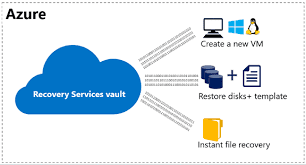
The following graphic shows the object hierarchy from the RecoveryServicesVault down to the BackupRecoveryPoint. To restore backup data, identify the
The Cyber Security, Compliance & Cloud
Cyber Security | Digital Transformation | Cloud Computing

The following graphic shows the object hierarchy from the RecoveryServicesVault down to the BackupRecoveryPoint. To restore backup data, identify the
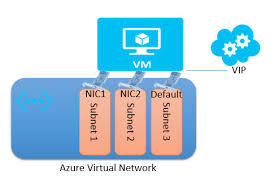
Prerequisites: Source VM must be deleted prior to running the script or the network card mapping will fail. And this
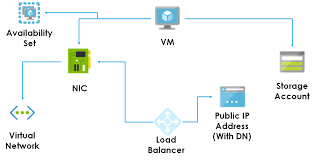
Restore Single NIC Azure VM using Powershell $VaultName = “app–rs” # Vault Name for Recovery Points (Backups) $VmName = “app-a”
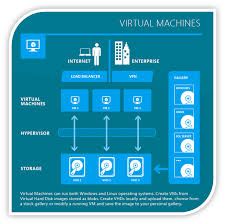
Create/ Add a New NIC and Private IP Address to Existing Azure VM The first step is to open Windows

Amazon has been a fore runner in the cloud computing arena and pioneered many industry revolutionizing services like EC2, VPC
Download and install the necessary dependencies for the Azure CLI yum install npm 2. Using the newly installed package from
MS Azure does not offer state forward way to increase C drive size like AWS with snapshot etc. So we
Management & Monitoring Tools Azure CLI (by Microsoft) – provides a set of open source, cross-platform commands for working with the
Management & Monitoring Tools Azure CLI (by Microsoft) – provides a set of open source, cross-platform commands for working with the
First things first! The newer VHDX format is not supported in Azure. You can convert the disk to VHD format


