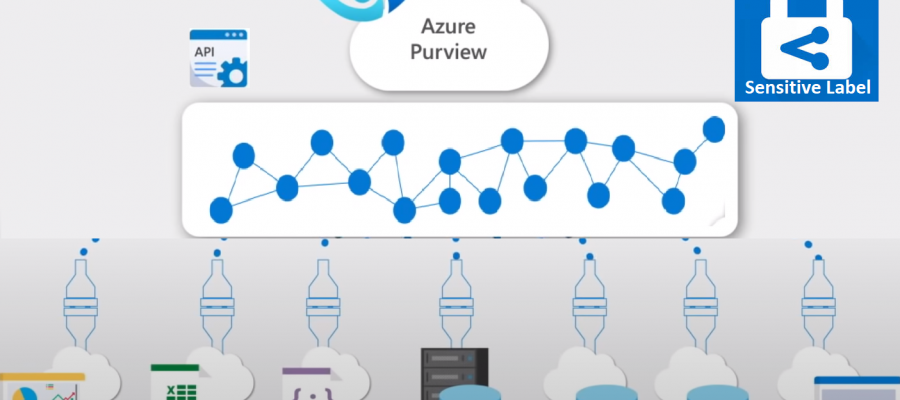
<p><strong>Azure Purview </strong>enables you to map, catalogue, understand, classify, and manage your operational and analytical data—whether on-premises, across your multi-cloud environment or within SaaS applications. With Purview Data Catalog, you can now search, understand the underlying sensitivity, and view how data is being used across the organization with data lineage.</p>


<p><strong>Microsoft Information Protection</strong>, a built-in, intelligent, unified, and extensible solution that understands and classifies your data, keeps it protected, and prevents data loss across ;Microsoft 365 ;Apps (including Word, PowerPoint, Excel, Outlook), services (such as Microsoft Teams, SharePoint, Exchange, Power BI), third-party SaaS applications, and more—on-premises or in the cloud.</p>


<p><strong>Sensitivity Labels</strong> enables you to state how sensitive certain data is in your organization. W~hen your data roam, inside or outside the organisation; you want it to do so in a secure, protected way that meets your organization&#8217;s business and compliance policies. For example, a specific project name might be highly confidential within your organization, while that same term is not confidential to other organizations.</p>


<p><strong>MIP sensitivity labels</strong> are created in the Microsoft 365 Security and Compliance Center (SCC). Purview uses the same classifications, also known as sensitive information types, like Microsoft 365. This enables you to extend your existing sensitivity labels across your Azure Purview assets. Microsoft Information Protection’s sensitivity labels with Azure Purview, organizations can now automatically discover, classify, and get insight into sensitivity across a broader range of data sources such as SQL Server, SAP, Teradata, Azure Data Services, and Amazon AWS S3, helping to minimize compliance risk.</p>


<p><strong><span style="background-color: rgba(48, 48, 48, 0.2);"><b>Auto </b></span>labelling </strong>rules are conditions that you specify, stating when a particular label should be applied. When these conditions are met, the label is automatically assigned to the data, retaining consistent sensitivity labels on your data, at scale. </p>


<p><strong>Create and Deploy Auto Labelling </strong></p>


<p>MIP sensitivity labels are only available for assets in Microsoft 365, where you can apply them to files and emails. To apply MIP sensitivity labels to Azure assets in Azure Purview, you must explicitly consent to extending the labels, and select the specific labels that you want to be available in Purview. Consenting in Microsoft 365 compliance center applies to sharing this data with both services. </p>


<ol class="wp-block-list"><li>Make sure to create or modify existing sensitive labels.</li><li>Make them available for Azure Purview</li><li>Define auto labelling rules for both ;files ;and ;database columns ;to apply your labels automatically with each data scan. </li><li>After scanning your data in Purview, you can view the labels automatically applied in the Purview Catalog and Insight reports.</li></ol>


<p><strong>Sensitivity labels are supported in Azure Purview for the following data types:</strong></p>


<figure class="wp-block-table"><table><thead><tr><th>Data type</th><th>Sources</th></tr></thead><tbody><tr><td>Automatic labeling for files</td><td>&#8211; Azure Blob Storage<br>&#8211; Azure Data Lake Storage Gen 1 and Gen 2</td></tr><tr><td>Automatic labeling for database columns</td><td>&#8211; SQL server<br>&#8211; Azure SQL database<br>&#8211; Azure SQL Database Managed Instance<br>&#8211; Azure Synapse<br>&#8211; Azure Cosmos DB</td></tr></tbody></table></figure>


<div class="wp-block-wp-quads-adds">
<!-- WP QUADS v. 3.0.5.1 Shortcode Ad -->
<div class="quads-location quads-ad" id="quads-ad" style="">
</div>
</div>


<p><strong>To extend sensitivity labels to Purview:</strong></p>


<p>In Microsoft 365, navigate to the ;<strong>Information Protection</strong> ;page. In the ;<strong>Extend labeling to assets in Azure Purview</strong>, select the ;<strong>Turn on</strong> ;button, and then select ;<strong>Yes</strong> ;in the confirmation dialog that appears.</p>


<figure class="wp-block-image"><img src="https://docs.microsoft.com/en-gb/azure/purview/media/create-sensitivity-label/extend-sensitivity-labels-to-purview-small.png" alt="Select **Turn on** to extend sensitivity labels to Purview"/></figure>


<p><strong>Licensing requirements: </strong></p>


<p>MIP sensitivity labels are created and managed in the Microsoft 365 Security and Compliance Center. To create sensitivity labels for use in Azure Purview, you must have an active Microsoft 365 E5 license.</p>